
Baby shower invitation as a café — the baby's name appears in the latte foam
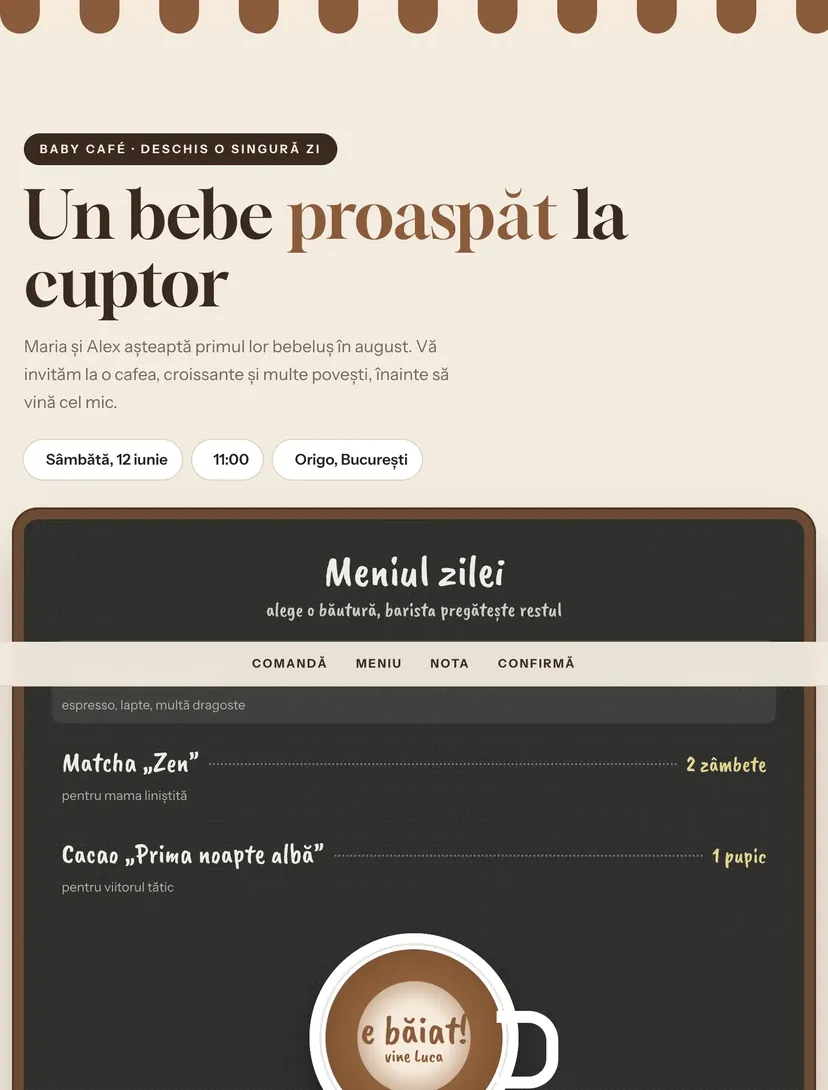
Guests pick a drink from the café chalkboard. On order, the foam is poured into the cup and the latte art reveals the surprise: the baby's name or gender. The receipt has all the details, and the confirmation is an order.
Why guests will pass the link on
Every Pinvite design has a surprise interaction built around its theme. In Baby Café: the baby's name in latte art.
Latte art reveal
Pick latte, matcha or cocoa, press “Order” and the surprise appears in the foam.
A chalkboard menu
Drinks have playful names and “prices” in hugs and smiles.
The receipt with the details
Date, time, place and dress code appear on a café receipt with a barcode.
A guessing game
Guests guess whether the baby arrives before or after the due date and see what others picked.
Colors and fonts of the Baby Café design
A recommended starting point from our designers. Keep them or change them in the editor.
#F3EBE0#3B2A20#8A5A3B#C9A25BThe Baby Café invitation: for which celebration
The bistro café theme is one of the most popular for baby showers: chalk boards, croissants and a warm café au lait palette. The Baby Café design turns it into an invitation you can “order”.
It suits baby showers in cafés, on terraces or at home, and gender reveal parties too. The message in the foam can be changed to the baby's gender, name or estimated due date.
What the invitation contains
The sections of this design, ready to use. Hide the ones you do not need.
From design to the link you send
Start from the Pinvite editor
Open the editor, no card needed, and pick the Baby Café design for your invitation.
Make it yours
The child's name, the date, the church, the restaurant and the photos. Preview on the phone in real time.
Send the link
On WhatsApp, by email or as a QR code. Confirmations arrive live in your list.
About the Baby Café design
Can I use the design for a gender reveal?
Can I add a gift list?
How do guests confirm?
How much does a Pinvite invitation cost?
Can I send the invitation on WhatsApp?
More baby shower and baptism designs
The big day, in Baby Caféstyle.
Open the design in the editor, personalize it in minutes and send the link. Free for up to 15 confirmations.