
Digital Anniversary Invitations with RSVP
Create beautiful anniversary invitations online with built-in RSVP tracking. Whether it's a birthday, milestone anniversary, or themed party — choose from elegant templates, customize your design, and share via WhatsApp or link. Track guest responses, manage gifts, and plan your celebration. Free to start, no credit card needed.
Digital RSVP & Guest Tracking
Collect attendance confirmations, menu preferences, and dietary restrictions through a simple online RSVP form. Know exactly who is coming to your anniversary celebration.
Share via WhatsApp, SMS & Link
Share your invitation link on WhatsApp, by SMS, or through another messaging app, or send invitations by email from Pinvite.
Templates for Every Celebration
Choose from a curated collection of templates for birthdays, couple anniversaries, milestone parties, themed events, and every kind of celebration.
Gift Registry & Wishlist
Create a gift registry for your anniversary. Guests choose from your wishlist, and you track selections in real-time to avoid duplicate gifts.
Budget & Event Planner
Plan and track your anniversary budget with built-in tools. Manage expenses, vendor payments, and keep your celebration on track financially.
Collaborators & Team Planning
Invite family members or friends to help organize the anniversary. Share access to manage RSVPs, guest lists, and event details together.
Types of Invitations for Anniversary
Plan an unforgettable anniversary with Pinvite's online invitations
Classic
Classic anniversary invitations from Pinvite combine elegance and simplicity. These invitations are perfect for anniversaries requiring a traditional style, offering refinement and quick customization.
- Elegant and refined design
- Simple and quick customization
- Integrated RSVP for efficient organization

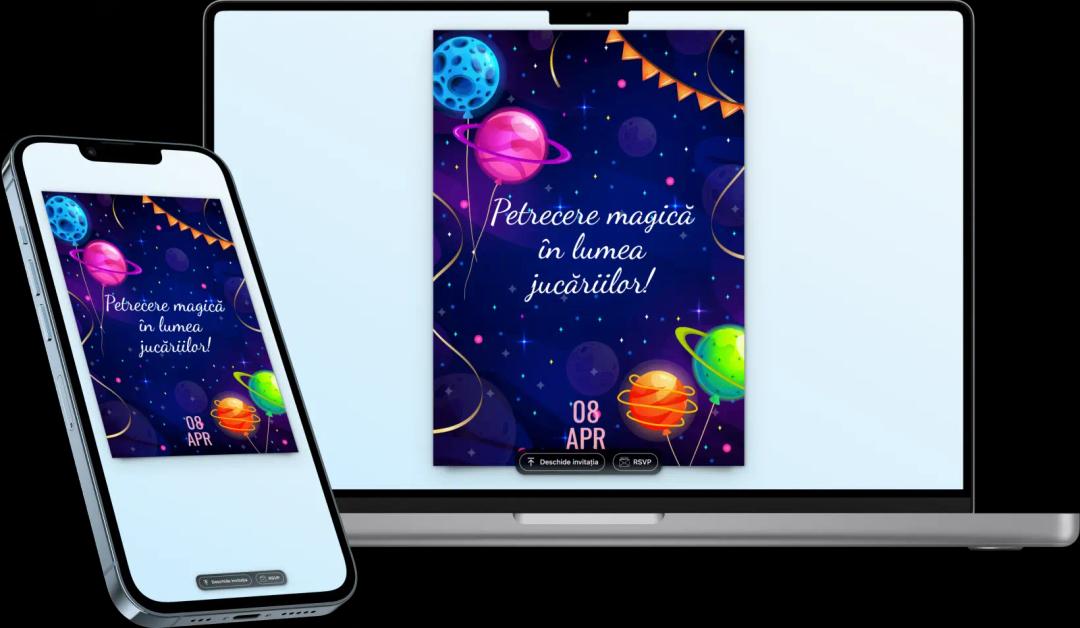
How does Pinvite work for Anniversary Invitations?
Step 1: Choose an Online Invitation Template for Anniversary
The first step is to select an digital invitation template for anniversary from the wide range of options offered by Pinvite. Whether you prefer a classic or modern style, you will find something that perfectly reflects your anniversary event.
Step 2: Customize the Anniversary Invitation
Customize the online invitation for anniversary by adding essential information such as the date, location, and a personalized message for guests. Choose design elements that reflect the theme of your anniversary.
Step 3: Save the Digital Invitation
After completing the customization, save the digital invitation for anniversary. You can preview the invitation before sending it to ensure all details are correct.
Step 4: Create an Invitation for Distribution
Pinvite offers two options for distributing the invitations:
- Global Invitation: Distribute to all guests with a unique customized link, for a simplified experience.
- Personalized Invitation: Create personalized invitations for each guest, displaying each one's name for a unique experience.
Step 5: Send the Online Invitations
Distribute the invitations via email or on social media, using the feature of quick and efficient distribution.
Step 6: Wait for Participation Confirmations (RSVP)
With the online RSVP feature, guests can confirm their attendance in real-time, and you will receive all confirmations as they are sent.
Step 7: Manage the Anniversary Event
After receiving the participants' confirmations, Pinvite provides all the necessary tools for efficient event management:
- Plan seating at tables for guests
- Organize transportation and accommodations for guests
- Manage the gift list for the anniversary