
Milestone birthday invitation — blow out the candles
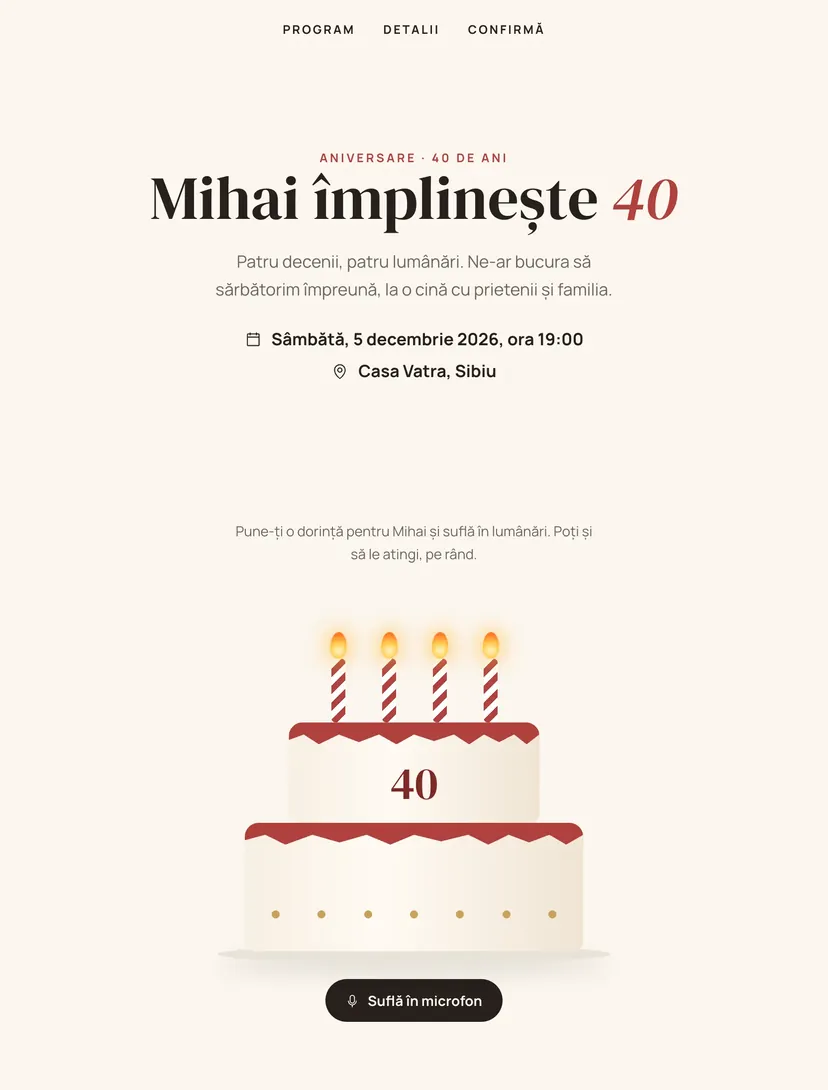
Four candles burn on the cake, one for each decade. The guest makes a wish and blows into the phone microphone, and the candles go out one by one. If they would rather not use the microphone, they can tap them. The wish sent at confirmation appears among the other wishes.
Why guests will pass the link on
Every Pinvite design has a surprise interaction built around its theme. In Cake & Candles: candles that go out when you blow into the phone.
Blow into the microphone
The phone listens to how hard you blow and puts out the candles one by one. The microphone starts only if you turn it on.
Or tap them
Each candle also goes out on touch, for anyone who does not want to use the microphone.
A cake with the age
The number on the cake and the number of candles change with the age.
Wishes in the invitation
The wish written at confirmation appears right away among the wishes of the other guests.
Colors and fonts of the Cake & Candles design
A recommended starting point from our designers. Keep them or change them in the editor.
#FBF6EE#26201C#B0413E#C9A15AThe Cake & Candles invitation: for which celebration
Round adult birthdays are more and more often celebrated at a dinner with family and close friends. The Cake & Candles design starts from the most universal gesture of a birthday, blowing out the candles, and makes it possible right from the invitation.
The microphone starts only if the guest turns it on, and the alternative by touch is always in view. The rest of the invitation is clear and sober: program, venue, gift and confirmation.
What the invitation contains
The sections of this design, ready to use. Hide the ones you do not need.
From design to the link you send
Start from the Pinvite editor
Open the editor, no card needed, and pick the Cake & Candles design for your invitation.
Make it yours
The name, age, date, venue, photo and texts. See how it looks on the phone in real time.
Send the link
On WhatsApp, Instagram or by email. Confirmations appear in your list as they come.
About the Cake & Candles design
Does the microphone work on any phone?
Can I use an age other than 40?
How do guests confirm?
How much does it cost?
Can I change the texts, colors and photo?
More birthday designs


The big day, in Cake & Candlesstyle.
Open the design in the editor, personalize it in minutes and send the link. Free for up to 15 confirmations.