
Online christening invitation Star Map — the child's name, written in constellations
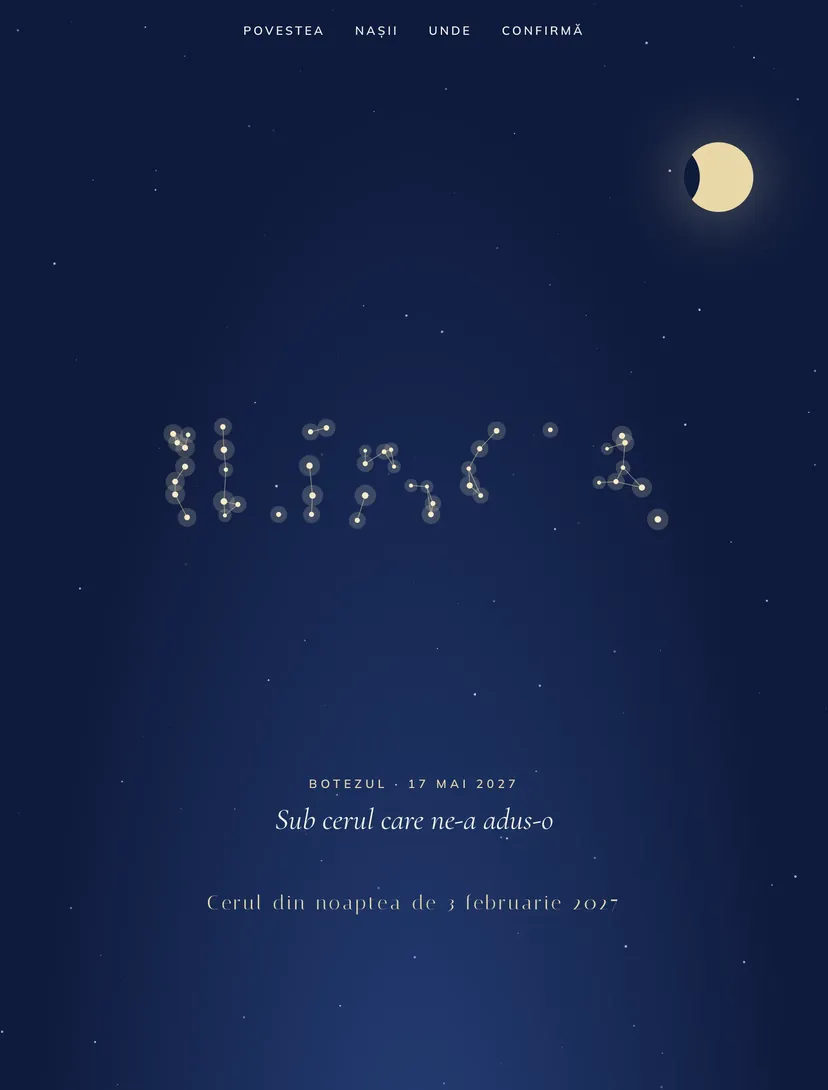
The sky lights up under the guests' fingers: stars join and form the child's name. The moon phase for the date of birth appears automatically, and the wishes sent at confirmation become stars in the child's sky.
Why guests will pass the link on
Every Pinvite design has a surprise interaction built around its theme. In Star Map: the constellation with the child's name.
The name in constellations
The guest runs a finger over the sky, and the stars light up and join to form the child's name.
The moon of the birth date
The date of birth works out the moon phase automatically, shown on the sky and in the child's map.
Wishes that become stars
The message sent at confirmation flies up to the sky, and the parents receive all the wishes in one place.
Adults and children separately
The form counts adults and children separately, so you know exactly how many menus to order.
Colors and fonts of the Star Map design
A recommended starting point from our designers. Keep them or change them in the editor.
#0F1B3D#F7F3EA#E9D8A6#C9B27AThe Star Map invitation: for which celebration
The sky theme remains one of the most chosen for christenings because it suits boys and girls alike and has strong symbolism: protection, a clean start, hope. The Star Map design takes it further, with the real sky of the night the child was born.
It suits elegant christenings in large churches and restaurants with a garden, as well as intimate family ones. The navy and gold palette looks good both on the phone and on a printed invitation with a QR code.
What the invitation contains
The sections of this design, ready to use. Hide the ones you do not need.
From design to the link you send
Start from the Pinvite editor
Open the editor, no card needed, and pick the Star Map design for your invitation.
Make it yours
The child's name, the date, the church, the restaurant and the photos. Preview on the phone in real time.
Send the link
On WhatsApp, by email or as a QR code. Confirmations arrive live in your list.
About the Star Map design
Can I use the real date of birth?
What happens if the guest does not touch the sky?
How do guests confirm?
How much does a Pinvite invitation cost?
Can I send the invitation on WhatsApp?
More baby shower and baptism designs
The big day, in Star Mapstyle.
Open the design in the editor, personalize it in minutes and send the link. Free for up to 15 confirmations.