Artificial intelligence is transforming how couples plan their weddings, and invitations are no exception. Creating digital wedding invitations no longer requires design skills or hours of work: with an AI text generator, you can get personalized, elegant, and ready-to-send texts in a matter of seconds. In this complete guide, we show you step by step how to use artificial intelligence to create free digital wedding invitations with Pinvite, the platform that combines AI, professional design, and event management tools all in one place.
01What Are Digital Wedding Invitations?
Digital wedding invitations are electronic versions of traditional paper invitations. They are created, customized, and distributed entirely online, allowing you to send them via WhatsApp, email, social media, or through a unique link.
Unlike printed invitations, digital ones offer advantages that go far beyond design:
- Interactivity: Guests can RSVP directly from the invitation with a single click
- Real-time updates: If any event detail changes, you can update it without reprinting anything
- Multimedia: Add background music, animations, and photos to create an immersive experience
- AI personalization: Platforms like Pinvite integrate artificial intelligence to generate unique texts tailored to your style
In 2026, digital invitations are not just a modern alternative — they are the most efficient, affordable, and eco-friendly way to invite guests to your wedding.
02How Pinvite's AI Invitation Generator Works
The AI text generator from Pinvite uses advanced artificial intelligence to create personalized invitation texts in seconds. Here's how the process works step by step:
- Step 1 — Choose your template: Browse Pinvite's collection of templates and select the design that best suits your wedding style. There are options for every taste: elegant, minimalist, floral, rustic, and modern
- Step 2 — Activate the AI generator: Once you've selected a template, access the AI text generator. Specify the event type, desired tone (formal, romantic, casual, fun), and the basic details of your wedding
- Step 3 — Customize the result: The AI generates a complete text that you can edit, adjust, or regenerate until it's perfect. Add the names, date, time, and venue of the ceremony
- Step 4 — Set up RSVP: Enable the RSVP form so your guests can respond directly from the invitation
- Step 5 — Share via WhatsApp or link: Send the finished invitation via WhatsApp, email, or share the unique link. Guests can view it from any device
The entire process takes less than 5 minutes. No design or writing experience needed — the AI handles creating the perfect text for your wedding.
035 Benefits of Using AI for Your Wedding Invitations
Using an AI-powered invitation generator isn't just a trend — it's a practical tool that solves real problems. Here are the 5 main benefits:
- 1. Speed: What used to take hours or days now gets done in seconds. The AI generates complete, ready-to-use texts, eliminating writer's block and the need to hire copywriters
- 2. Tailored personalization: Each text adapts to the couple's tone, style, and personality. Choose between formal, romantic, fun, modern, or religious tones, and the AI adjusts the language automatically
- 3. Multiple versions in different tones: Not sure which style you prefer? Generate several versions of the same text in different tones and compare them. The AI lets you experiment at no extra cost
- 4. Multilingual support: If your guests speak different languages, Pinvite lets you create invitations in English, Spanish, French, Portuguese, Romanian, and Russian. The AI adapts the text to the selected language while keeping it natural
- 5. Significant savings: Creating digital wedding invitations with AI is free on Pinvite. No printing costs, no postage, no professional design fees. Put your budget toward what truly matters
04Examples of AI-Generated Invitation Texts
To show you the potential of Pinvite's AI text generator, here are real examples of texts generated in different tones:
Formal tone:
"Mr. and Mrs. Thompson and Mr. and Mrs. Bennett have the honour of inviting you to the wedding of their children Emily and James, to be held on Saturday, the fifteenth of June, two thousand and twenty-six, at half past four in the afternoon at St. Andrew's Cathedral. A reception will follow at Rosewood Manor. Kindly respond by the fifteenth of May."
Romantic tone:
"Two hearts that chose to beat as one. With immense joy, Emily and James invite you to celebrate the day they join their lives forever. Join us on June 15, 2026, at St. Andrew's Cathedral and be a witness to our love story. Because the best chapters are written surrounded by the people you love."
Casual and fun tone:
"We're getting married! After 5 years together, Emily and James are making it official. Join us on June 15 at St. Andrew's Cathedral. Wear comfy shoes — we're dancing till dawn. RSVP now, because it won't be the same without you!"
Modern tone:
"Plot twist: we're getting married! Emily + James = forever. Come celebrate this new chapter with us on June 15, 2026. Ceremony: St. Andrew's Cathedral. Reception: Rosewood Manor. Dress code: elegant. Vibe check: full party mode."
Each of these texts was generated by Pinvite's AI in under 10 seconds. Just choose the tone and the AI does the rest.
05Personalization Beyond Text: Design, RSVP, and Guest Management
Creating the perfect invitation goes beyond words. Pinvite offers a complete ecosystem of tools to keep your wedding organized from start to finish:
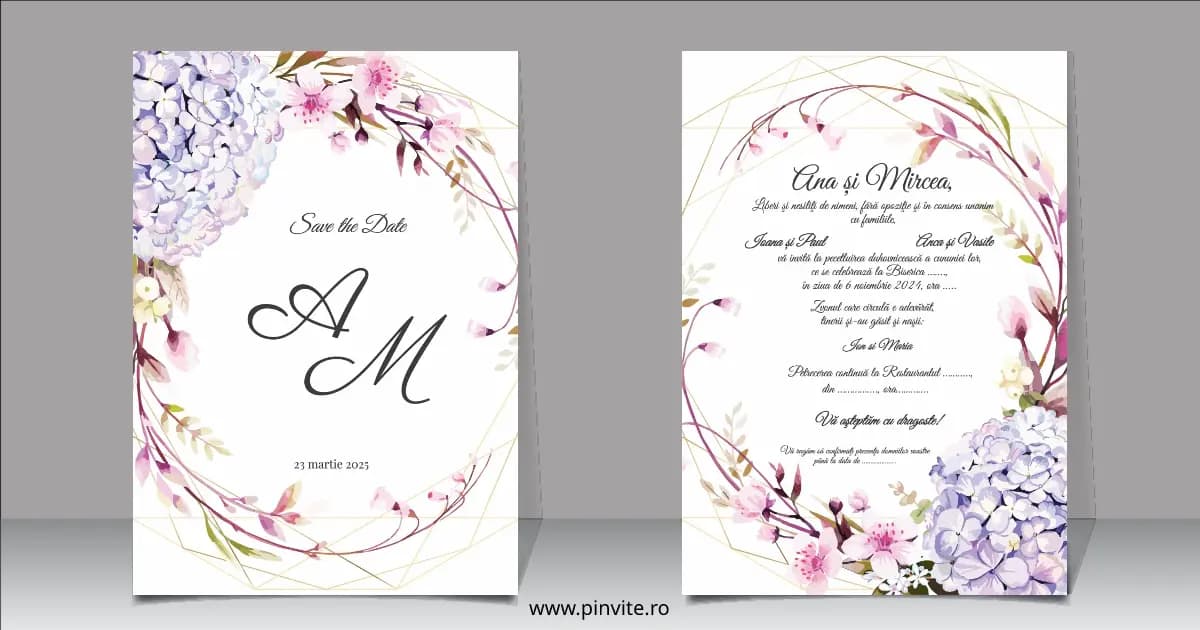
- Professional templates: Choose from dozens of templates designed specifically for wedding invitations. Every design is responsive and looks perfect on any device
- Built-in RSVP: Enable RSVP tracking so your guests can confirm attendance directly from the invitation. Collect additional information like menu preferences, dietary restrictions, and plus-ones
- Guest management: Manage your complete guest list from an intuitive dashboard. See in real time who has confirmed, who has declined, and who hasn't responded yet
- Table planner: Organize seating arrangements with the visual table planning tool. Drag and drop guests to create the perfect layout
- Background music: Add music to your digital invitation to create a full sensory experience that moves your guests from the very first moment
- Named invitations: Personalize each invitation with the guest's name for a touch of exclusivity and elegance
All of these features are available on Pinvite, many of them on the free plan.
06Digital vs Printed Invitations: Why Go Digital in 2026?
The choice between digital and printed invitations is becoming increasingly clear. Here's why couples in 2026 are choosing digital:
- Eco-friendly: Digital invitations completely eliminate the use of paper, printing, and shipping. It's the most environmentally responsible option
- Cost: Creating digital wedding invitations with AI is free on Pinvite. Printed invitations cost between $2 and $10 per unit, multiplied by hundreds of guests
- Delivery speed: A digital invitation arrives instantly. No waiting for printing or risk of getting lost in the mail
- Response tracking: With digital RSVP, you know in real time who will attend. With printed invitations, you rely on phone calls and individual messages
- Instant updates: Did the time or venue change? Update the digital invitation in seconds. With paper, you'd have to reprint and resend everything
- Global reach: Send invitations anywhere in the world with no international shipping costs
- Multimedia experience: Digital invitations can include music, animations, and direct links to the venue map — something impossible with paper
Digital invitations don't replace tradition — they evolve it, making it more accessible, efficient, and memorable.
07How to Send Your Wedding Invitations via WhatsApp
WhatsApp is one of the world's most popular messaging apps, and it's the most direct way to deliver your wedding invitation. With Pinvite, sharing invitations via WhatsApp is quick and easy:
- Unique link: Each Pinvite invitation generates a personalized link you can copy and paste directly into WhatsApp. Guests just need to click to see the full invitation
- Automatic preview: When you share the link on WhatsApp, a preview is automatically generated with the invitation image and event title
- Named invitations: If you use named invitations, each guest receives a unique link with their personalized name on the invitation. This creates an exclusive and memorable experience
- Mobile RSVP: Guests can confirm their attendance directly from the invitation they open on WhatsApp, without needing to download any app
Sample WhatsApp message:
"Hi! We're excited to share our wedding invitation with you. We'd love to have you there on June 15. See all the details and RSVP here: [link]. We can't wait to celebrate with you!"
The Pinvite + WhatsApp combination is perfect for reaching all your guests quickly, personally, and hassle-free.
08Conclusion
Creating digital wedding invitations with artificial intelligence is no longer the future — it's the present. With Pinvite's AI text generator, you have everything you need to create professional, personalized, and memorable invitations in just minutes.
From text generation to guest management, including digital RSVP and WhatsApp sharing, Pinvite brings all the tools together on a single free platform. No design experience needed, no external vendors required, and no money spent on printing.
Start today: choose a template, activate the AI text generator, customize your invitation, and share it with the people you love most. Your wedding deserves an invitation that lives up to your dreams.
Discover all of Pinvite's features and create your free digital wedding invitation.